
PowerHouse Upskill LMS
Personalised eLearning with the Upskill Learning Management System
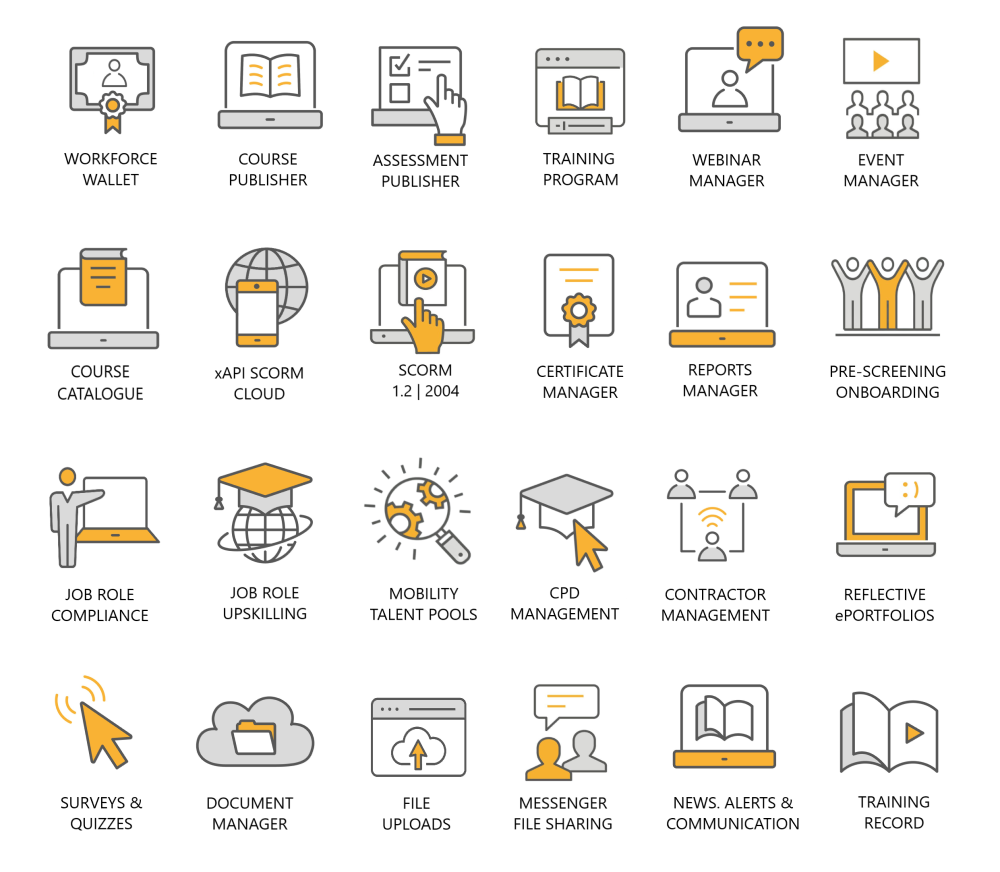
PowerHouse Upskill is a comprehensive Learning Management System (LMS) that builds, delivers and reports on your online courses, training programs, webinars and face-to-face training events.
The PowerHouse Upskill LMS features customised compliance frameworks for your industry and/or job roles. Monitor workforce compliance, skills verification and license uploads with dynamic reporting to drive efficiencies.
PowerHouse Upskilling
Enhance & track staff skills & competencies
The PowerHouse Upskill LMS builds job role frameworks with required skills and competencies. Assign frameworks to your staff and/or contractors and they complete tasks, verifications and training in personalised upskilling portals.
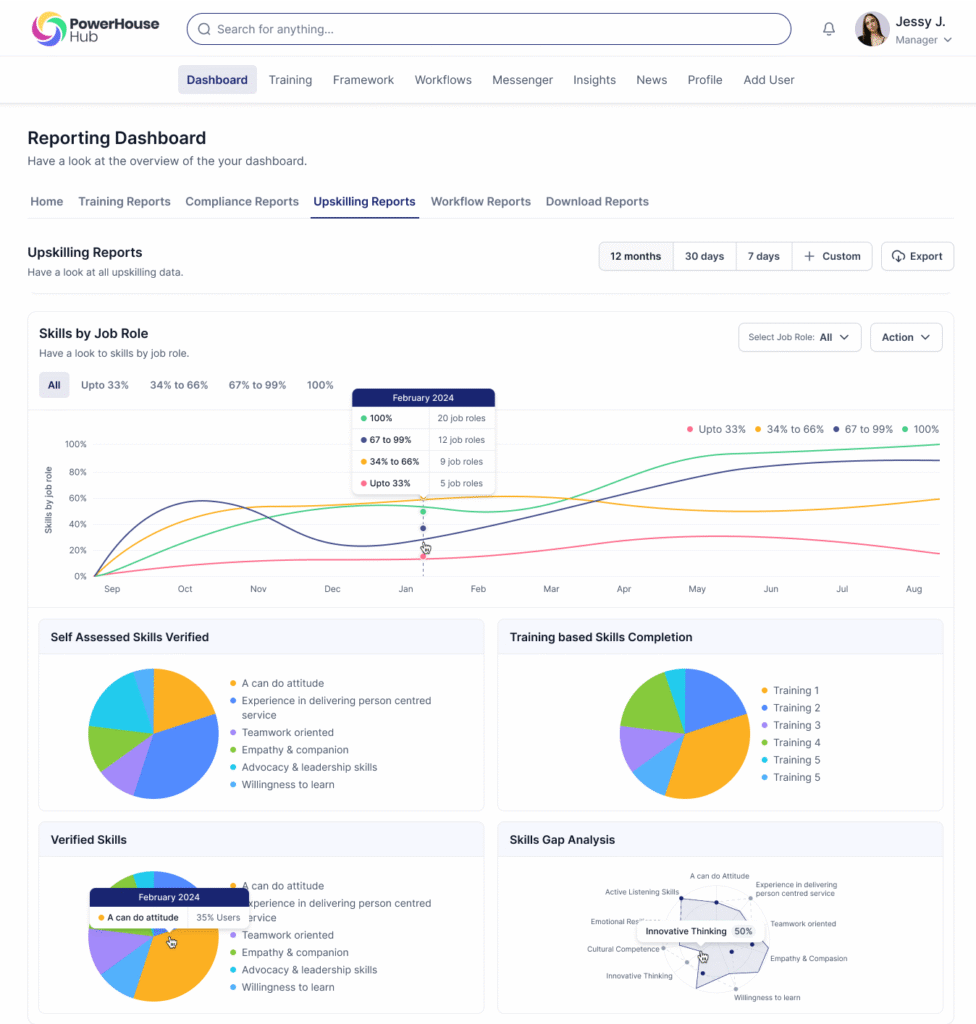
Assign self-assessed skills to your staff. Your team assess the level of their current skills for their job role and your managers can assess and provide a verification on their assessment of the skill level.
Assign training-based skills to your staff. Tag skill competencies to your courses, events and webinars and as your team complete their training their skill competencies are featured in their Workforce Wallets.
Assign verified skills to your staff. Your team are guided to upload video evidence, certificates and complete verifications with their managers to verify job role competencies.
Continuing Professional Development
Assign CPD targets to your staff to drive professionalism
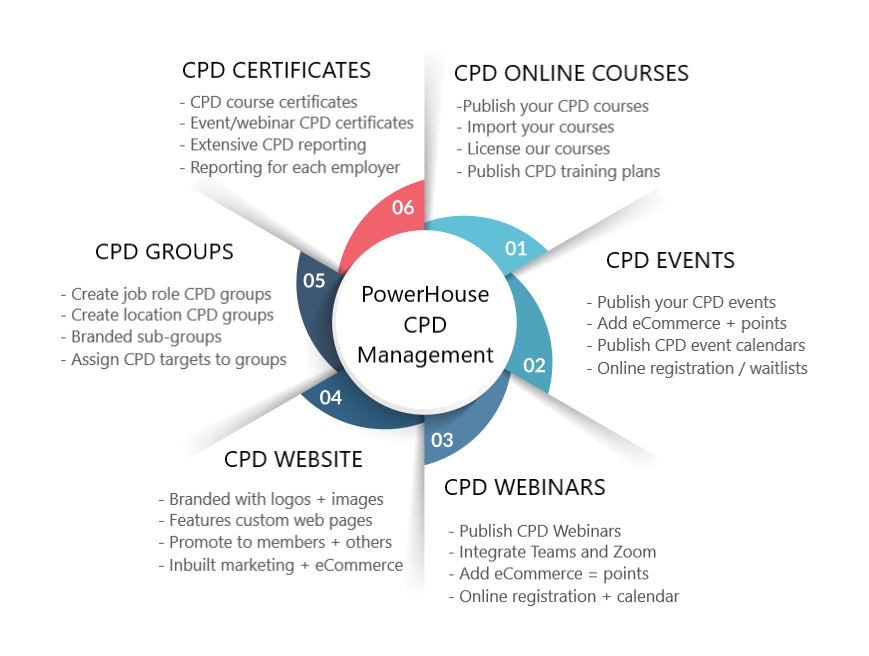
Our CPD management tools transform professional development into a strategic framework that drives skills acquisition, tracks annual CPD targets and strengthens compliance across your workforce.
Set clear annual CPD hour or credit targets by role, department or professional designation. Our platform automatically tracks progress against those targets in real time, prompting employees to complete required learning, upload evidence and maintain up-to-date certifications. Managers gain instant visibility of completion rates, competency development and emerging skills gaps.
By aligning CPD activities to defined competencies, you ensure development is purposeful. Built-in workflows, automated reminders and auditable reporting make compliance simple while supporting continuous professional growth.
PowerHouse Upskill Content Publisher
Publish interactive eCourses with tests and surveys
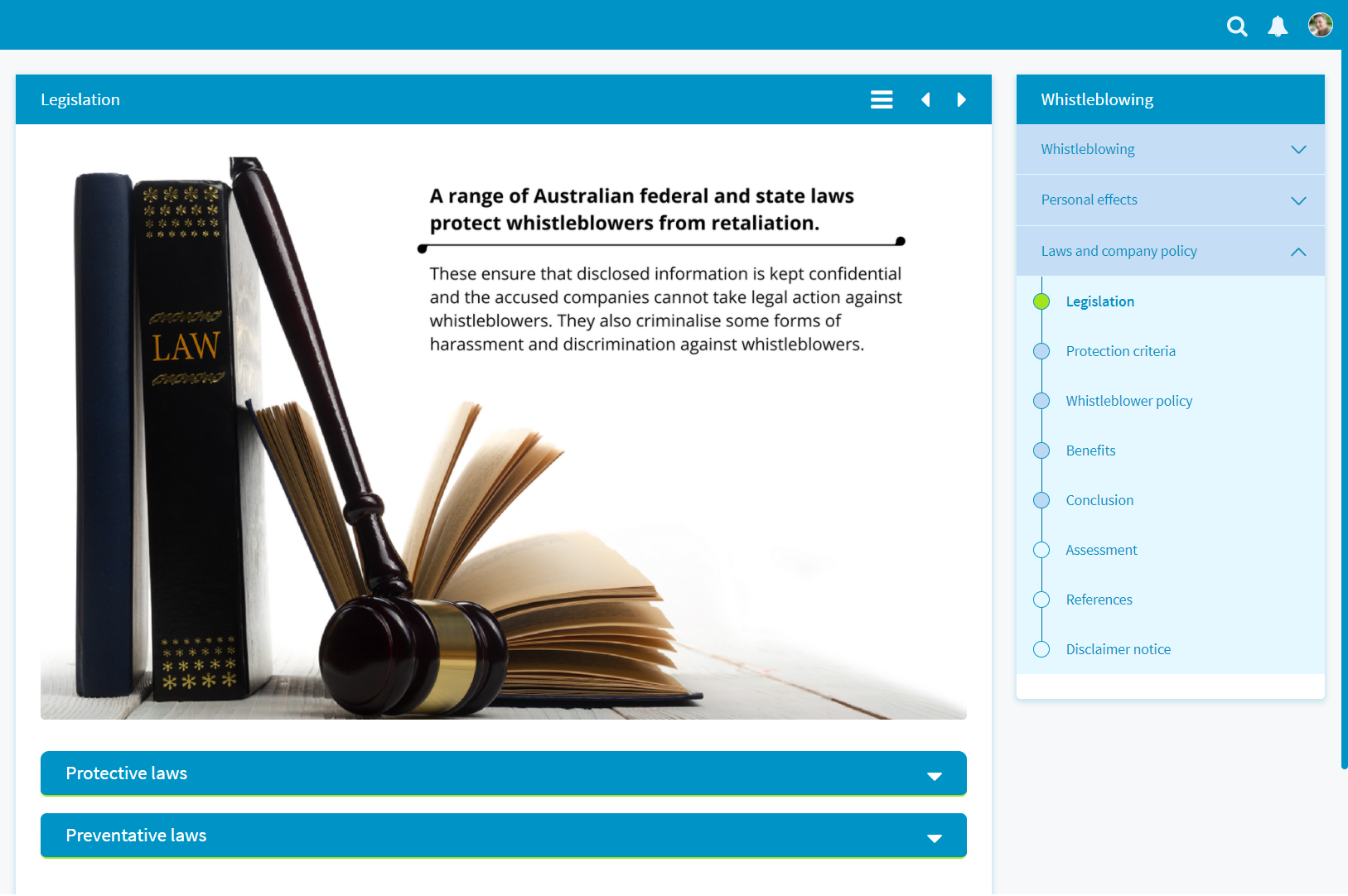
The PowerHouse Upskill Learning Management System features an inbuilt multimedia course publisher. Build your own courses in minutes, add video, audio and animation and integrate your assessment.
The LMS Course Publisher create integrated menus and navigation tools. Learners can resume courses from previous sessions and you can set pass rates, randomise responses and add a wide range of question types. Tests can be auto-marked or managed by assessors.
The LMS Course Publisher features templates to produce expand / collapse and tabbed slider elements in your course pages. Add rated response surveys to generate user star ratings on your courses.
SCORM Compliant LMS
Import SCORM courses & enable xAPI for SCORM Cloud
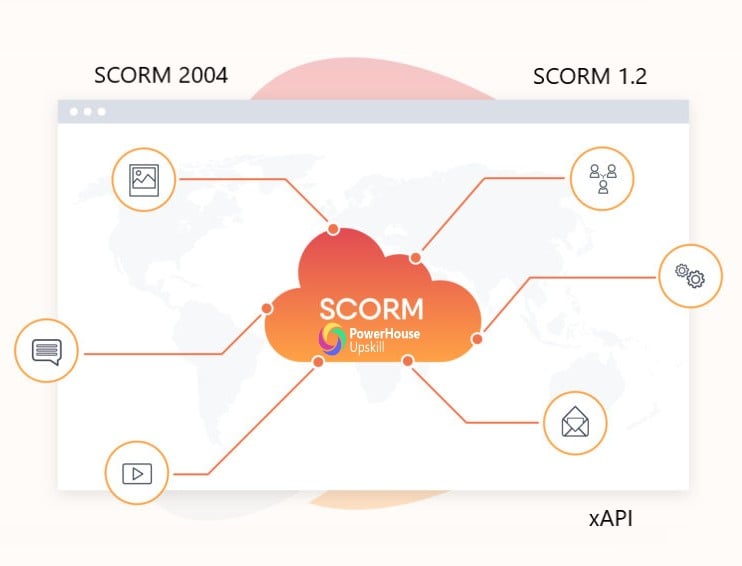
PowerHouse Upskill is fully SCORM 1.2 & 2004 compliant. SCORM courses can be uploaded to the platform and all completion data writes to course reports. We also provide xAPI via integration with SCORM Cloud. This allows your learners to access and complete courses from external providers. Completion data from the tests
writes to the LMS database.
Use authorware such as Adobe Captivate, Articulate and Storyline to create your own SCORM courses and import into the platform. Deliver external courses using the xAPI plugin or license and pre-load the library of Powerhouse courses that can be edited on the platform.
LMS Management of Webinars
Promote training webinars to learner dashboards
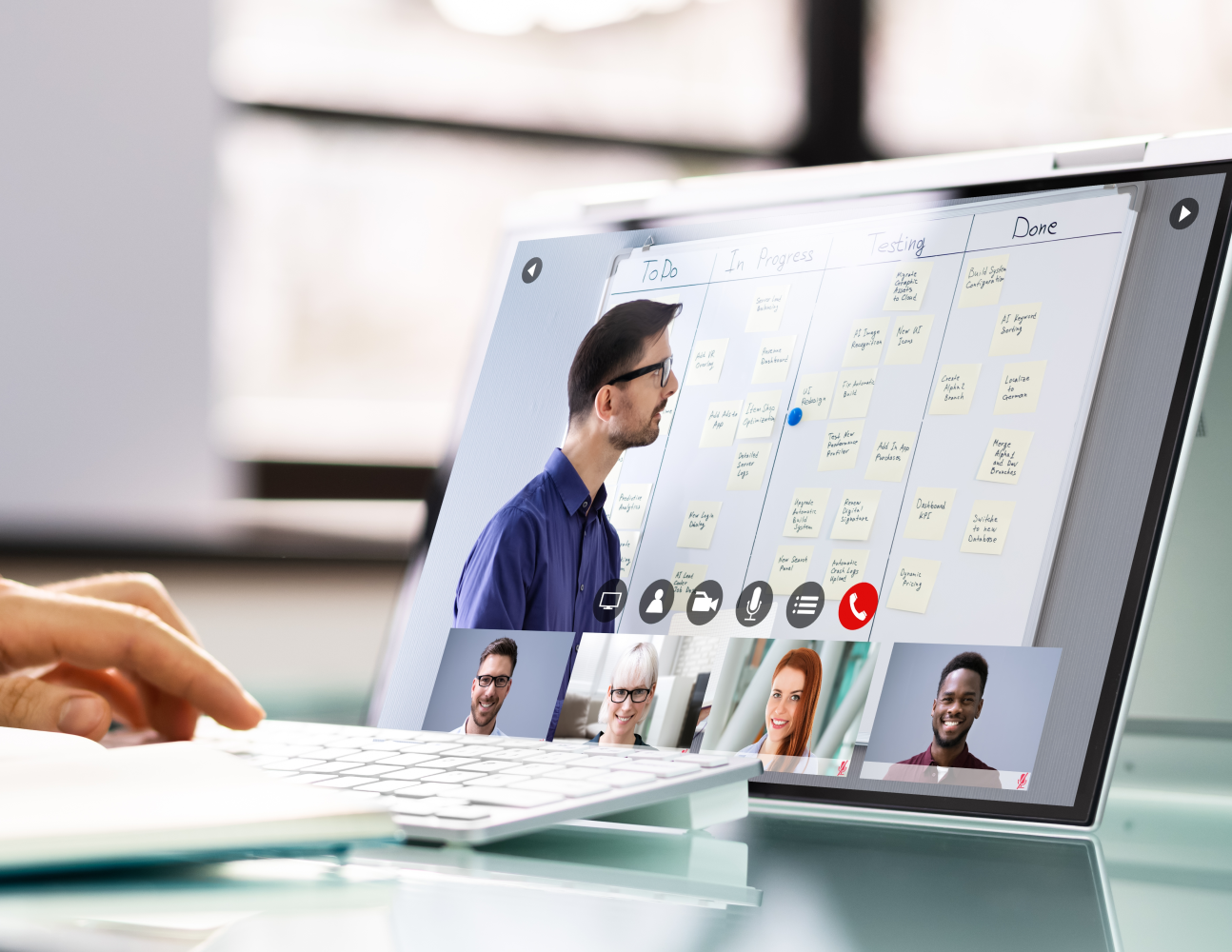
Manage your webinars by integrating with your Zoom, Microsoft Teams and GoToMeeting accounts. Assign webinars to groups and users view assigned webinars in the left hand menu, calendar and Upcoming Training widget.
Learners view the webinar description and register for the session. The system sends reminder emails and alerts and tracks the attendance. Personalised certificates are generated and the learner’s Workforce Wallet and Training Record are automatically updated and reports are produced.

LMS Blended Learning Approach
Add blended learning to your training programs
Self-paced and blended learning approaches are important to ensure that your learners are engaged and challenged. Build and assign optional courses webinars & events to your groups.
Learners subscribe to courses and activities to improve their skills and competencies while building career or learning pathways. Blended learning is delivered by the Training Plan Manager and includes the following:
- Multiple courses that can be accessed in any order
- Multiple courses accessed with a prerequisite pathway
- Add a course as preparation for an event or webinar
- Add courses, webinars and events to the training plan
- Centralised reporting with aggregated results
- A single completion certificate after the pathway is complete
LMS Training Event Manager
Manage your workshops and training events
The Upskill LMS manages the planning, registration and attendance tracking of your workshops and face-to-face training sessions. The Event Manager Module has the following features:
- Publishing designated events to the learner dashboard
- The option for learners to register for an event
- Change permissions for the manager to assign events
- Events appear in the widget for Upcoming Training Activities
- A waitlist management tool for each session
- Marketing information regarding event learning outcomes
- Event attendance certificates
- Presentation of the event in the learners' Training Calendar
- Option to sell event registration with eCommerce integration
The platform records attendance, publishes completion date to the Workforce wallet and saves the data to the Training Record.
Industry Compliance Management
The Industry Compliance Management Solution
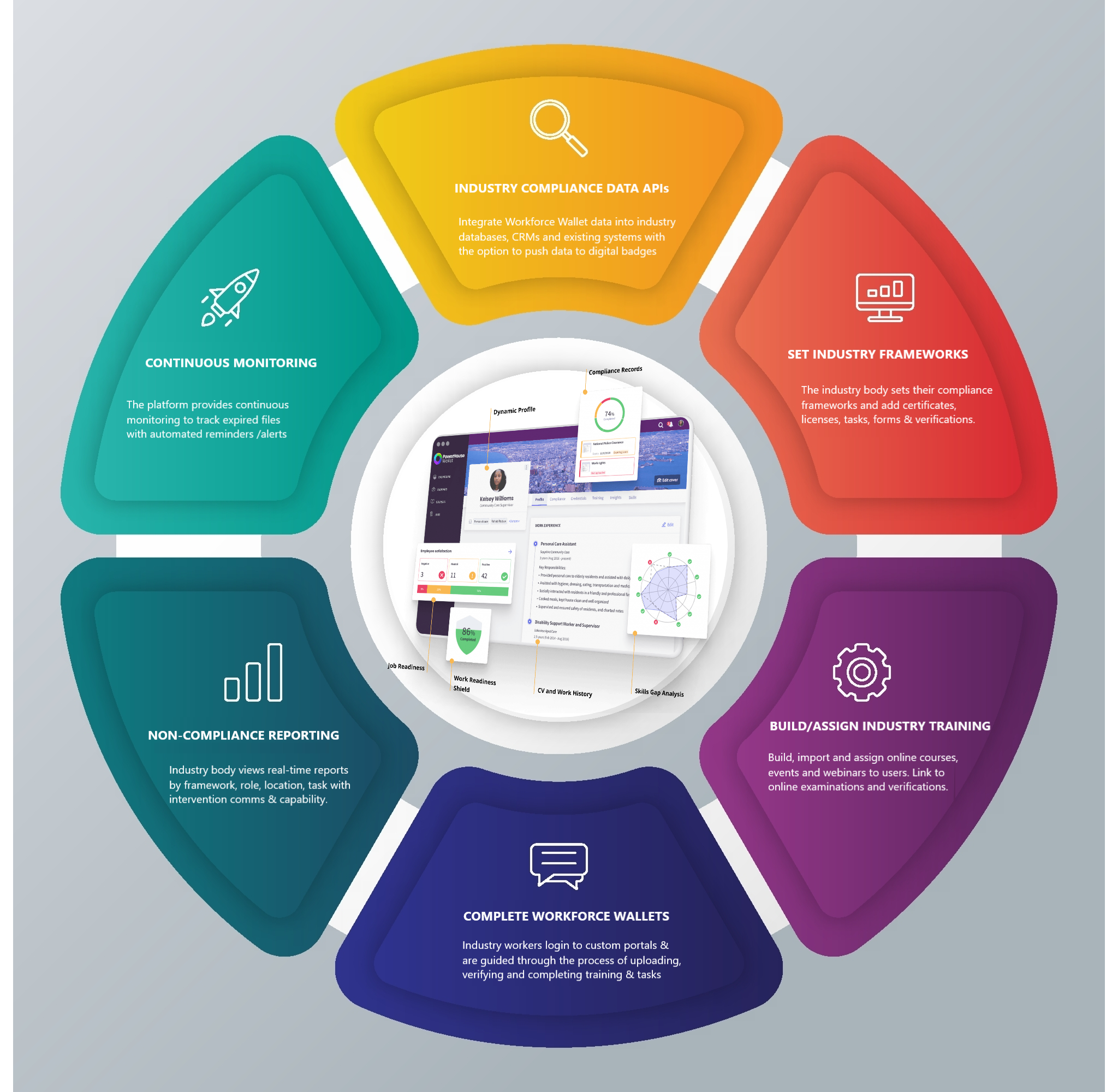
The PowerHouse Framework Module allows companies to build the job roles frameworks and industries to publish their compliance requirements. Build frameworks that feature the skills, competencies, experience and compliance elements that apply to the industry or more specifically to each job.
Assign frameworks to your members or employees and they complete the uploads and datasets in their personal Workforce Wallets. The frameworks manage the collection and verification of the following:
- Compliance file uploads (licences, certificates etc)
- Competency file uploads (qualifications, credentials etc)
- Skill verifications (manager checklist, video evidence etc)
- Skills achieved through training courses and activities.
- Weighted text, multiple choice, upload questions
- Work experience evidence
PowerHouse Learning Management System
Personal Workforce Wallets and LMS training records
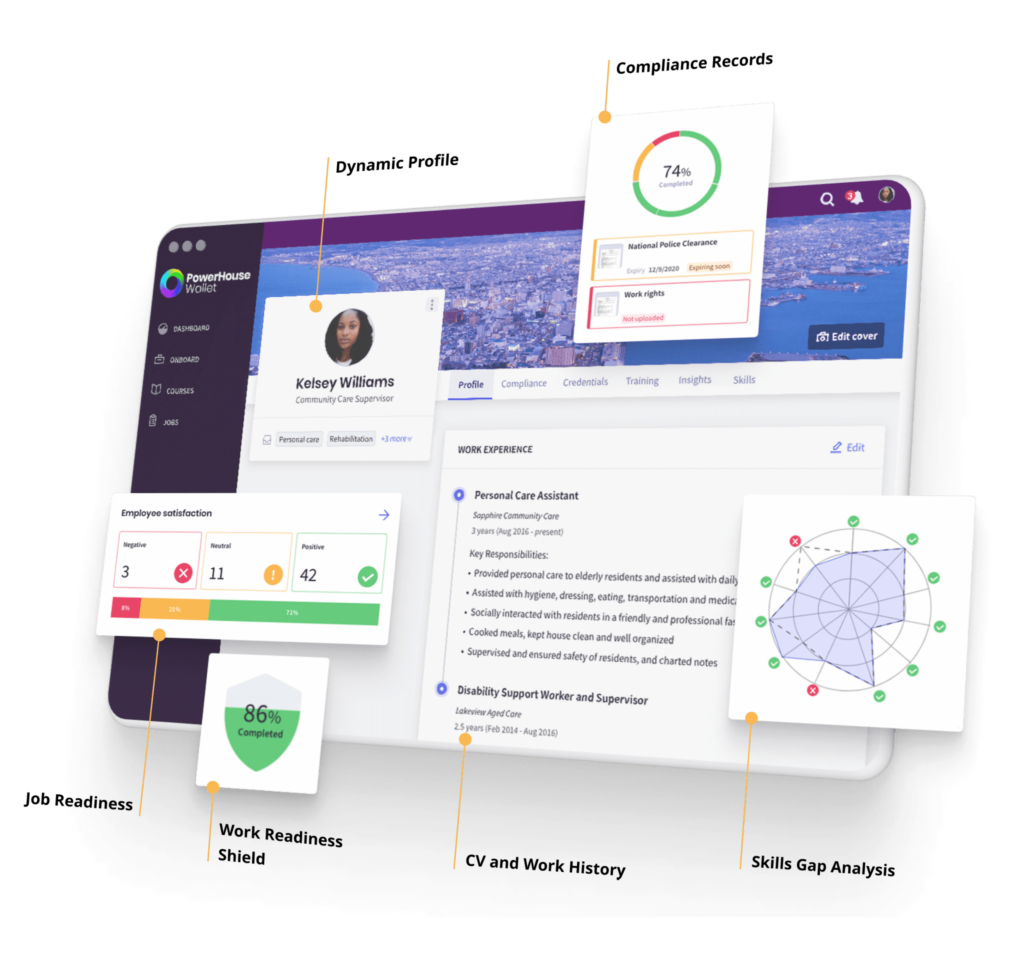
Workforce Wallets are generated dynamically for all learners on the platform. The personalised wallets feature all completed training courses, events and webinars with links to downloadable certificates.
Real-time reports are presented on a learner’s progress through their training plans. The visual analytical reports display a skills gap analysis linked to the skill outcomes tagged to all training courses and activities.
The Training Record manages the import and compilation of all external training sessions. The learner and their line manager can view current and historical training completion data.
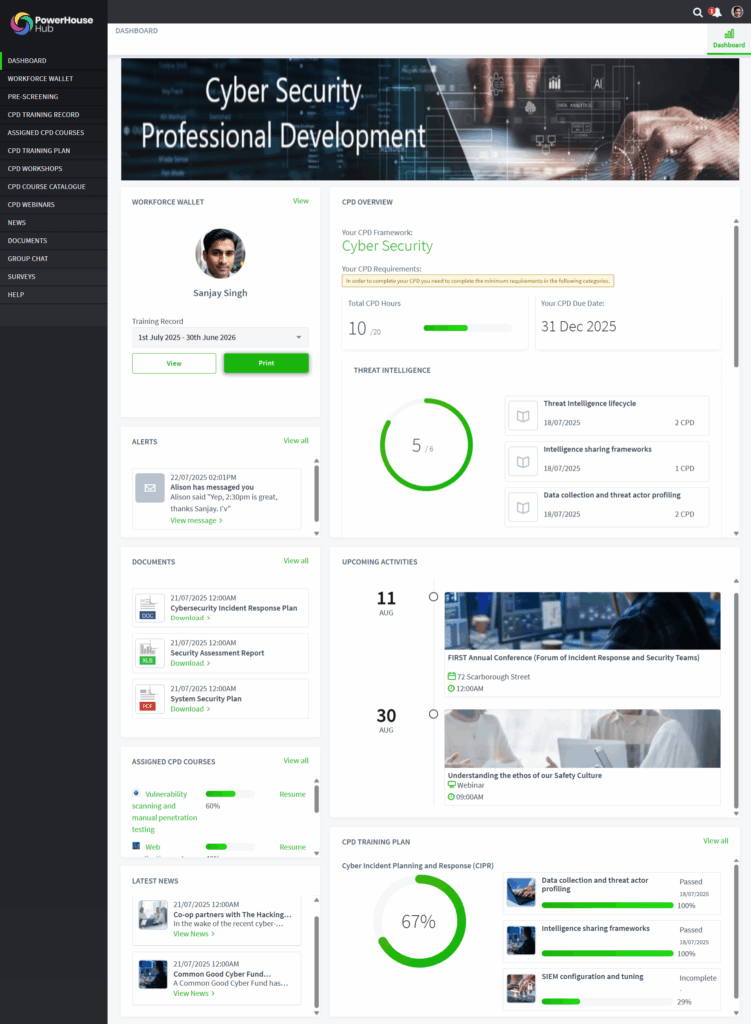
The Learner Dashboard in the Upskill LMS
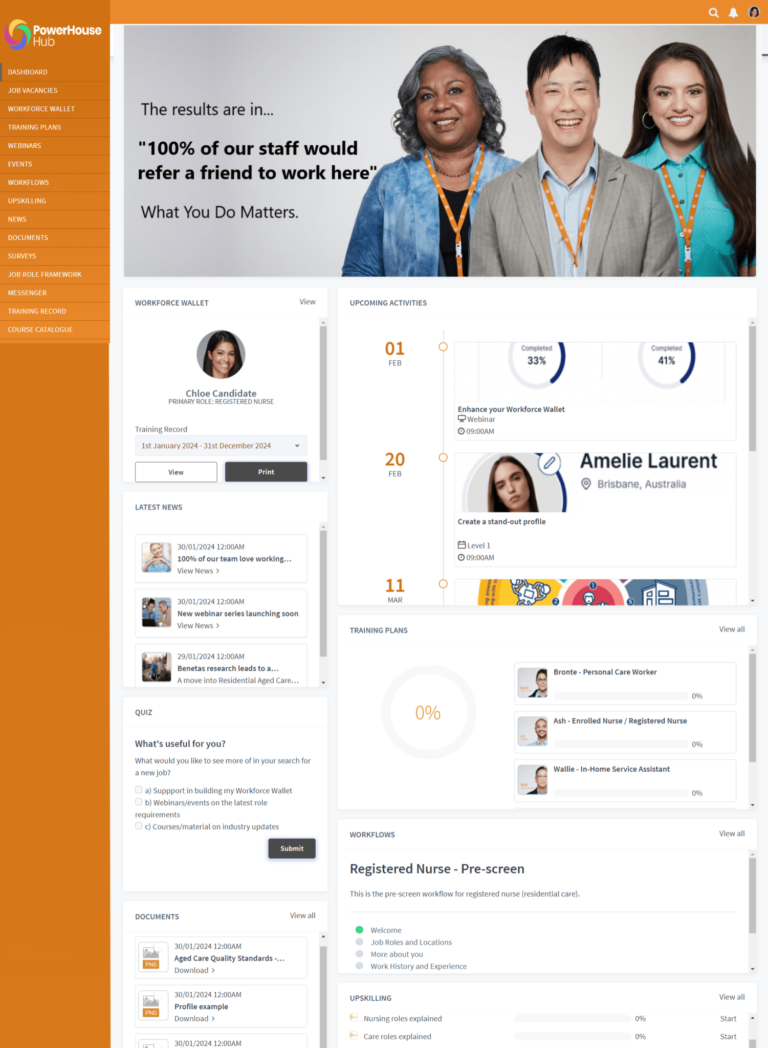
Your Learner Dashboard features:
The Learner Dashboard can be customised with banners, moving and resizing widgets, renaming menu items and enabling only the eLearning modules you require. The Learner (Worker) Dashboard features include:
- Widgets to display upcoming training activities
- Assigned online courses with assessment
- Assigned webinars in personalised calendars
- Training Plans with courses, events and webinars
- Personal Workforce Wallets with all completed training
- Training Record with online and external training events
- Continuing Professional Development (CPD) tools
- Skills and Competency verification
- Course Catalogue with optional courses
- Dashboard surveys, polls and quizzes
- Reflective Folios and Completion Certificates
- News, Document Library, Links and Group Messenger
Design & Customisation Tools
Branding, design and configuration capability
The Upskill LMS provides a comprehensive branding and customisation toolset to deliver white branded portals for our clients. The customisation options include:
- Full rebranding of the portal with your logos and stylesheet
- Integrated website to add web pages and content
- Customised self-registration portals with a form builder
- Option to rename all menus
- Customised login pages with MFA
- Option to select user types and set user permissions
- Onboard App store to integrate third-party apps
- Zapier integration to link to your current platforms
Your Learner Dashboard features:
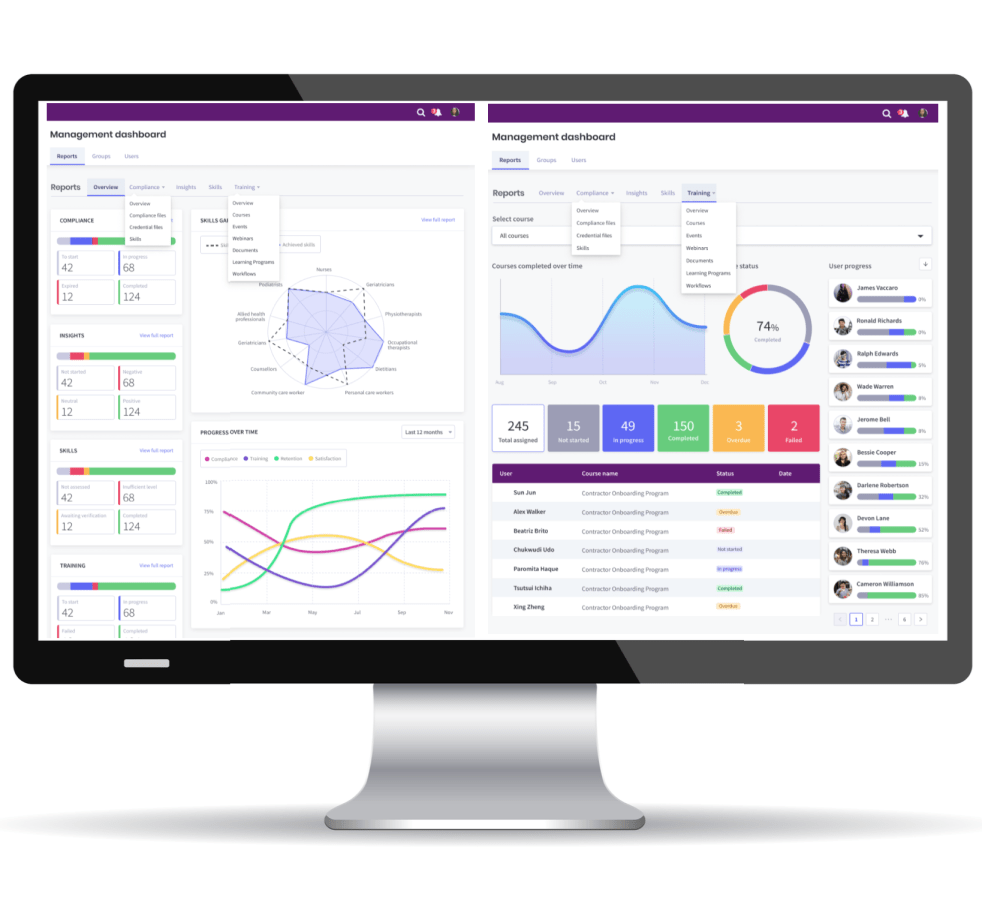
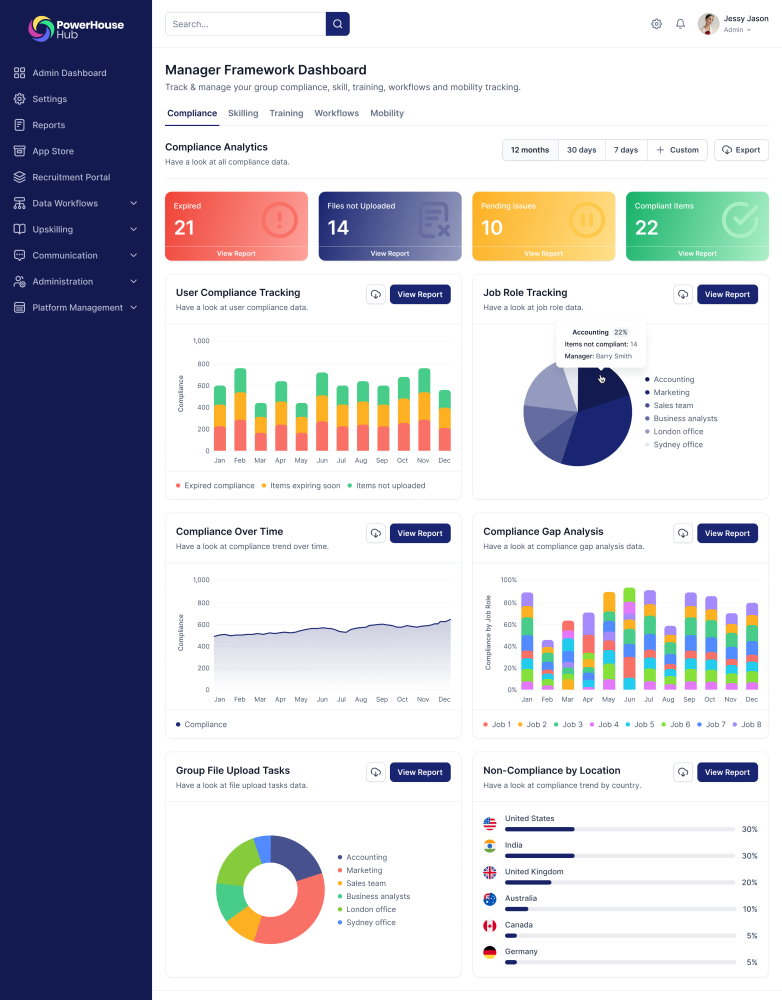
LMS visual and data reporting on your learners
Line Managers can view visual analytical reports from all connected devices. The speed and accuracy of these real-time reports allow managers to monitor the progress of their team without having to access individual reports.
Site Administrators, senior executives and managers can view and download data reports on all aspects of their training programs
User Groups & Permissions
Setting permissions with hierarchical groups
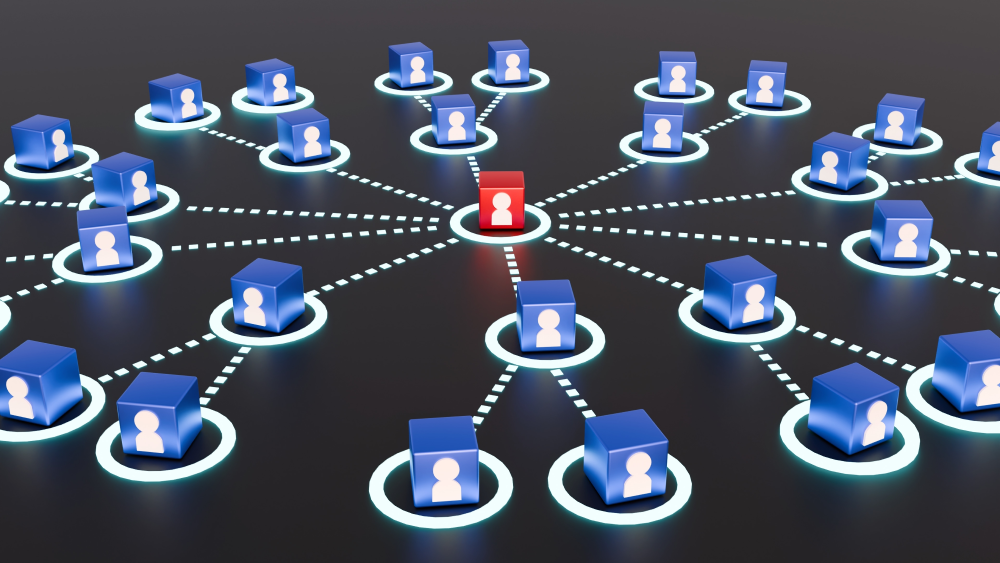
The power of the Upskill LMS to scale across your business is found in the PowerHouse Groups Module. Each user group can feature its own selection of:
- Assign users
- Create sub-groups with separate permissions
- Assign custom branding
- Assign courses, events, webinars and Training Plans
- Assign news and documents
- Assign Frameworks
- Assign CPD points and categories to a group
- Assign course catalogues
Learner engagement
Gamification & collaboration in the LMS
The Upskill Learning Management System features a range of gamification, collaboration and learner engagement assets which include:
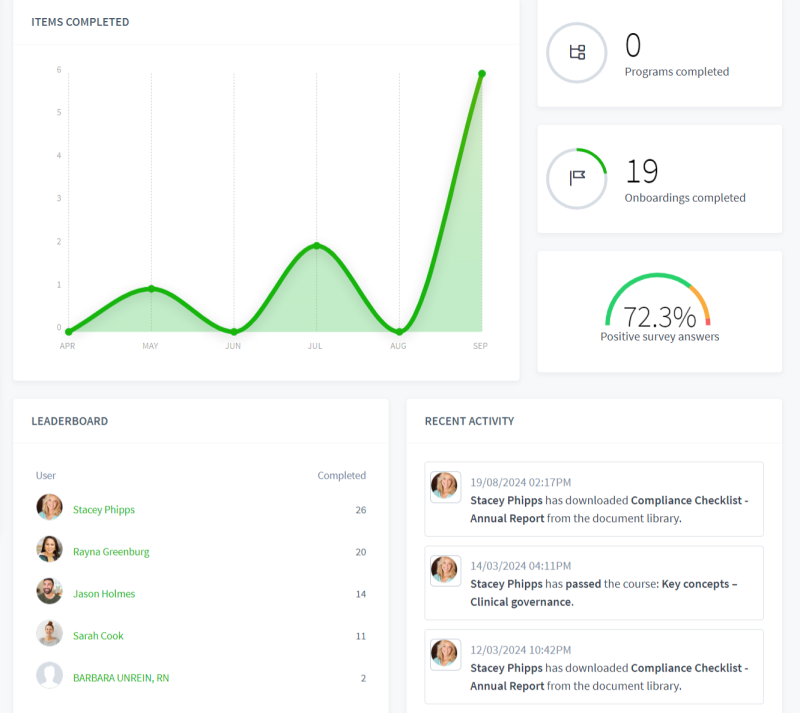
- The activity-ranked Learner Leader Board
- Line Manager mentoring through Messenger
- Workforce Insights to monitor learner sentiment and attitude
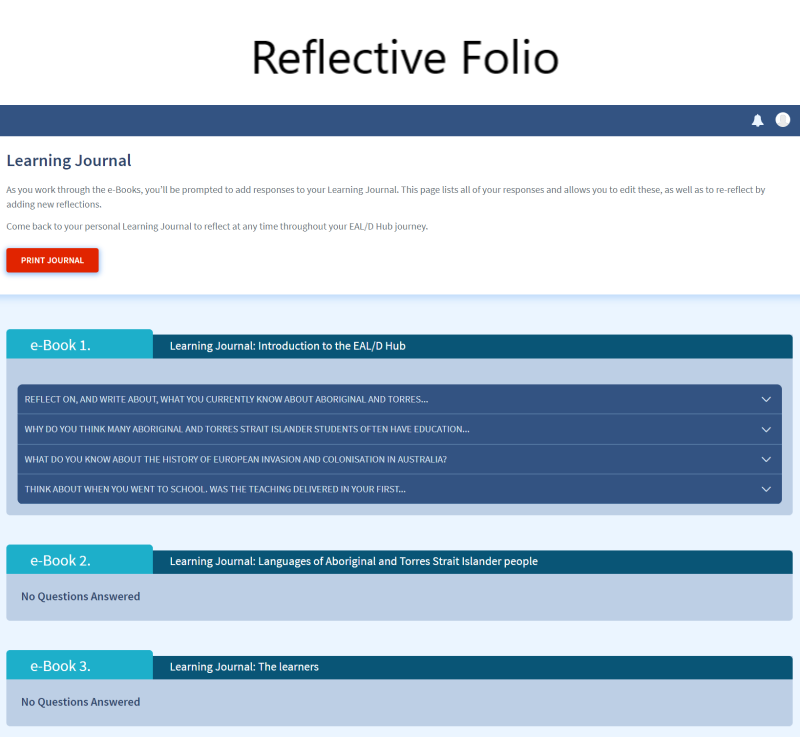
- Survey and Reflective ePortfolios
- Dashboard polls and surveys
- Collaborative Chat groups with file upload sharing
- Learner feedback on course pages
- Course rated response surveys
PowerHouse Learning Management System
Personal reflective ePortfolios
To extend learning beyond the online course, webinar or event, the personal Reflective ePortfolio allows the learner to make comments on their learning outcomes when they apply the training outcomes.
The Reflective ePortolio is structured by survey questions that provide topics for the user to consider and publish comments. There is no limit to the number of dated reflections added to the eFolio.
The objective of the ePortfolio is create a stream of continuous learning comments that can be monitored by peers and/or line managers.