Multi-tenant Group Management
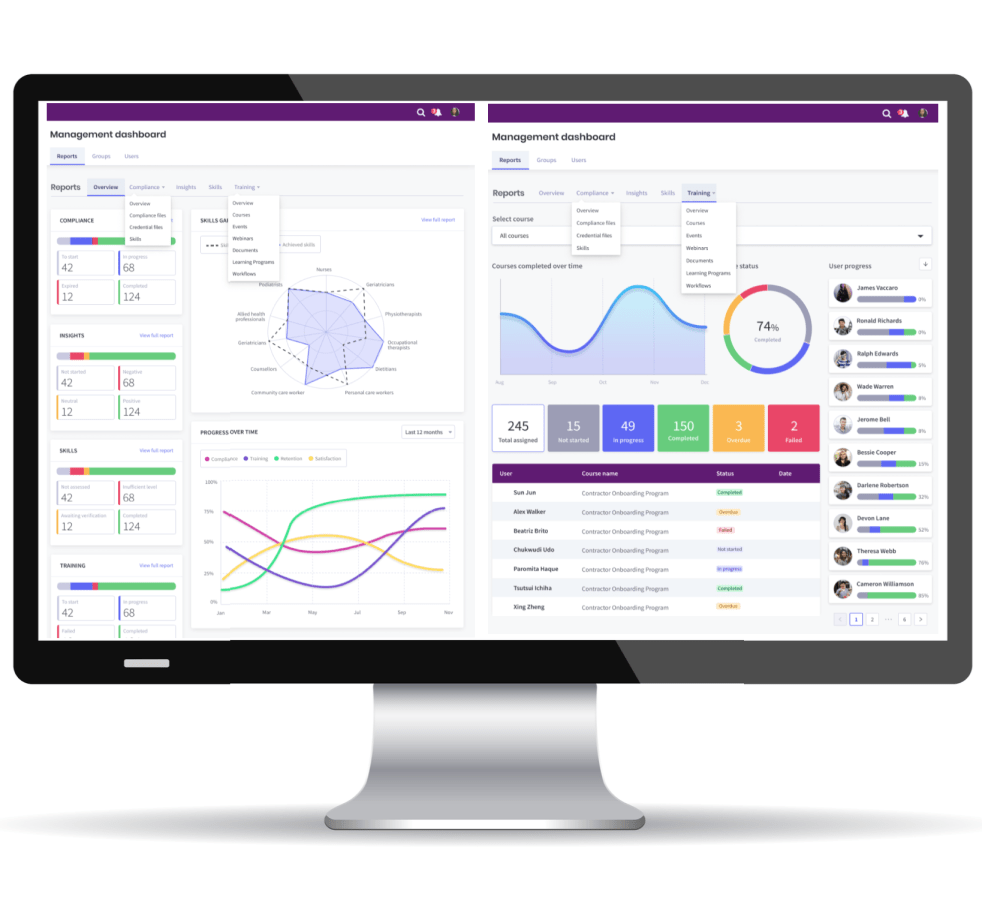
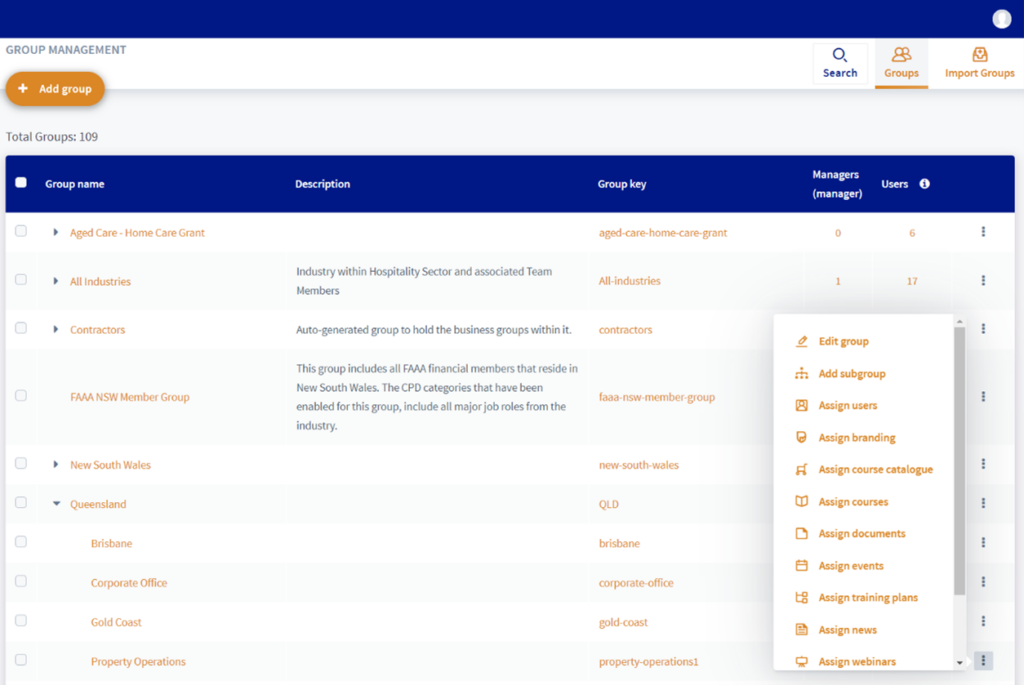
The multi-tenant group module allows administrators to build unlimited groups to reflect your business structure. Groups could be set up based on location, job roles, user profile or a combination of these areas. In addition to building a flat group structure, the module allows you to add sub-groups to build hierarchical reporting.
Hierarchical structure & reporting
The hierarchical functionality of the multi-tenant group allows administrators to assign managers to a top-level group which gives them management capacity to all linked sub-groups. When integrating with your payroll systems, the payroll groups can automatically be added to the group module.

Simplify management of multiple depts/organisations
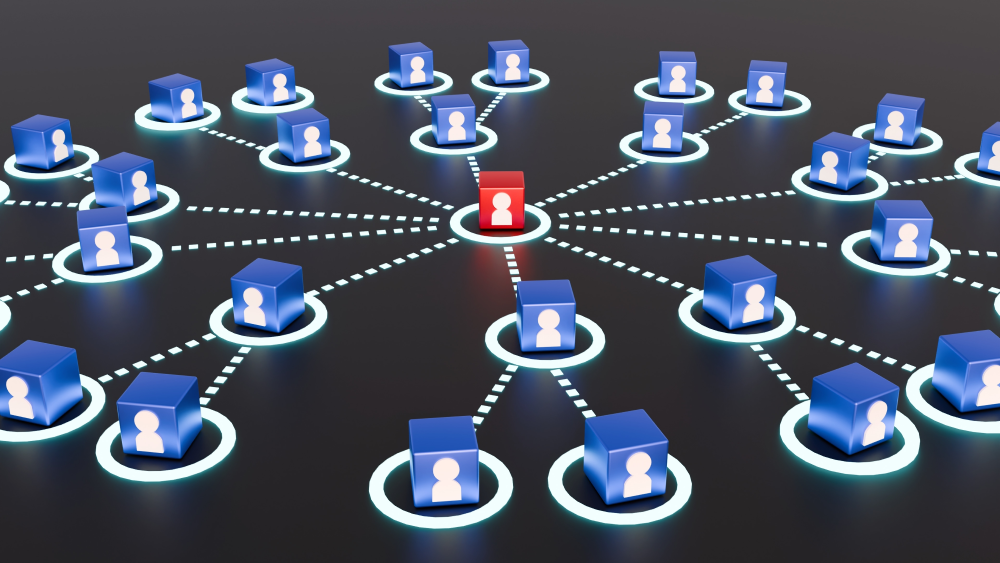
Our Multi-Tenant Group Management Module gives you the power to manage multiple departments, organisations, divisions, or client groups from a single, secure SaaS platform.
Designed for associations, corporate networks, and training providers, it provides complete visibility and control while keeping each tenant’s data, branding, and workflows separate.
The Multi-Tenant Group Management Module enables you to grow your ecosystem—adding new organisations, partners, and members—without adding complexity.
Whether you manage a network of associations, corporate clients, or professional bodies, you’ll have the flexibility, control, and efficiency to scale confidently.
Benefits of the PowerHouse Group Management Module
1. Centralised administration
Manage internal and external uses by configuring settings, permissions, and reporting. Automate login credentials or set your own passwords.
2. Data isolation and security
Each group operates in its own protected environment, ensuring that user data, training records, and analytics remain private and compliant.
3. Custom branding and configuration
Deliver a tailored experience for each group. Apply unique branding, training and compliance to align with the users in that group.
4. Streamlined onboarding and scalability
Easily add new groups and sub-groups to suit your needs. The module automates user provisioning, role assignments, & content sharing.
5. Unified reporting and insights
Access group analytics and compliance reporting to understand performance across all groups and users.
6. Reduced costs and operational complexity
Eliminate the need for multiple systems. With a seamless multi-tenant platform, you lower hosting, maintenance, and training costs.


Assign training, job roles, sub-groups & resources
The Group Module lets administrators assign learners to one or multiple groups to reflect their roles and responsibilities.
Customise your user groups with the following features:
- Assign Job Role Frameworks
- Assign Documents
- Assign Branding (logo and stylesheets)
- Assign Course Cart (with eCommerce)
- Assign Courses
- Assign Events
- Assign Training Plans
- Assign News
- Assign Webinars
- Assign Users
- Assign hierarchical sub-groups
Seamless User Synchronisation with Enterprise Systems
PowerHouse Upskill LMS integrates seamlessly with your existing systems to deliver a fully synchronised, low-maintenance user management experience.
By connecting with Azure Active Directory, Identity & Access Management (IAM) platforms, and HR software, user data remains accurate and aligned with your organisational structure.
Through secure, real-time synchronisation, user groups are automatically created and updated based on roles, departments, and employment status. New employees gain instant access to the right learning, while changes or departures are reflected immediately
This integration enables single sign-on (SSO), consistent access control, and reduced administrative overhead—creating a secure LMS that ensures the right people access the right training at the right time.
Add custom groups with multi-tenant branding and CPD
Administrators have the capability to add specific brands/logos to each group to deliver a solution for multiple companies on the same portal.
PowerHouse Upskill offers a comprehensive Continuing Professional Development (CPD) solution and the groups form a foundation part of this platform. Administrators can set multiple CPD categories to specific groups with aligned CPD hours and points which are displayed automatically on user dashboards.
Build your network of external groups with our tools
Extend the capability of your Upskill Platform by providing access to external groups by creating custom groups. When you create groups for external user groups, you are able to add their brand and stylesheet. They will be provided with their own login credentials and you have the option to enable the managers of these groups to add their own users.
Build your own industry network by offering branded access to your content with local management by your external stakeholders. There is the option to generate revenue by selling learner account packages with manager accounts for external stakeholders.
Ready To See The Platform In Action?
Schedule a free, no obligation demo to discover the benefits of PowerHouse Upskill for your business