Choosing the right Learning Management System
Choosing the right Learning Management System (LMS) is an important decision for any Australian organisation. Your LMS may become the central platform through which you deliver employee training, manage onboarding, monitor compliance, maintain professional development records and report on workforce capability.
However, LMS platforms vary considerably. Some provide basic online course delivery, while others support complex organisational structures, compliance frameworks, blended learning, integrations and workforce development.
The best learning management system for your organisation is not necessarily the platform with the longest feature list. It is the system that aligns with your business requirements, workforce structure, regulatory environment and long-term training strategy.
This guide outlines 15 essential considerations when selecting a Learning Management System in Australia.
1. Define the purpose of your LMS
Before reviewing software, define what your organisation needs the LMS to achieve. Common requirements include:
- Delivering employee training and online courses
- Managing mandatory and compliance training
- Onboarding employees and contractors
- Recording qualifications, licences and certifications
- Managing continuing professional development
- Delivering webinars and face-to-face training
- Identifying workforce skills and compliance gaps
- Supporting customers, members or external learners
- Providing managers with workforce training reports
- Selling courses and training programs online
It is also useful to separate essential requirements from desirable features. This prevents an attractive demonstration from distracting your evaluation team from the organisation’s actual priorities.
Your requirements should describe both the functionality you need today and how the platform may need to support your organisation in the future.
2. Identify who will use the platform
An LMS needs to work for more than its learners. Consider the needs of everyone who will interact with the system, including:
- Learners
- LMS administrators
- Managers and supervisors
- Training and compliance teams
- Course authors
- Human resources
- Information technology and security teams
- Contractors
- Professional members
- Customers and external partners
Each user group may require different dashboards, permissions and reports.
Learners need a clear and accessible training experience. Managers need visibility over their teams. Administrators need efficient tools for assigning training, managing users and producing reports. Executives may require high-level compliance and performance dashboards.
If you train separate departments, businesses, customers or member organisations, consider whether you need a multi-tenant LMS with delegated administration and separate branding.
3. Consider Australian data hosting and privacy
The physical location of LMS data can be important for Australian organisations, particularly government agencies, regulated industries and organisations managing sensitive workforce information. Ask each LMS provider:
- Where will our production data be stored?
- Where are backups maintained?
- Can data be hosted within Australia?
- Could data be transferred to or accessed from another country?
- Which subcontractors and cloud providers are involved?
- What happens to our data when the agreement ends?
- How are data exports, retention and deletion managed?
Your evaluation should also consider how the provider supports your responsibilities under the Australian Privacy Principles and applicable contractual requirements.
An Australian LMS provider does not necessarily host all customer data in Australia. Likewise, an international provider may offer Australian hosting. Obtain a clear, documented answer rather than making assumptions based on the supplier’s location.
4. Evaluate security and risk management
Lorem ipsum dolor sit amet, consectetur adipiscing elit. Ut elit tellus, luctus nec ullamcorper mattis, pulvinar dapibus leo.Your LMS may store names, contact details, employment information, training results, certificates, licences and other workforce records. Security should therefore be assessed as a core requirement rather than an optional technical feature. Consider asking prospective providers about:
- Information security certifications
- Data encryption in transit and at rest
- Role-based access controls
- Multi-factor authentication
- Single sign-on
- Security monitoring and alerting
- Vulnerability management
- Penetration testing
- Audit logging
- Backup and recovery arrangements
- Business continuity and disaster recovery
- Security incident notification
- Data retention and secure deletion
Independent certifications such as ISO 27001 can provide useful evidence that a supplier operates a structured information security management system. Certification does not remove the need for due diligence, but it can form an important part of your evaluation.
Your IT or security team should review the provider’s security documentation before a final purchasing decision is made.
5. Assess course creation and content compatibility
Some LMS platforms require courses to be created in separate authoring software. Others include built-in tools for creating pages, videos, quizzes, assessments and surveys. Look for capabilities such as:
- Built-in multimedia course publishing
- Tests, quizzes and assessments
- Video, audio, images and downloadable resources
- SCORM 1.2 and SCORM 2004 compatibility
- xAPI support
- Surveys and learner feedback
- Course version control
- Prerequisite training
- Sequential learning plans
- Certificates of completion
- Existing course-library options
If you already own SCORM courses, ask the provider to demonstrate the complete import, launch, completion and reporting process.
Also consider how easily internal subject-matter experts can update content without relying on developers or external suppliers.
6. Support blended learning
Workplace learning is rarely limited to self-paced online courses. Your organisation may also deliver:
- Webinars
- Virtual classrooms
- Workshops
- Face-to-face training
- Conferences
- Mentoring
- Workplace assessments
- Practical competency verification
An effective corporate LMS should allow these activities to contribute to one consolidated training record. For events and workshops, consider whether the system supports registrations, attendance, capacity limits, waiting lists, reminders and follow-up activities.
For webinars, check whether the platform works with services such as Microsoft Teams, Zoom or GoTo Meeting and whether attendance information can be recorded against the learner’s profile.
7. Examine compliance management capabilities
If compliance training is a major reason for implementing an LMS, basic course-completion reporting may not be sufficient. Look for functionality that can:
- Assign training according to job role, group or location
- Set completion deadlines
- Send automated reminders
- Schedule recurring and refresher training
- Record external qualifications and certificates
- Collect licences, insurance and compliance documents
- Monitor expiry dates
- Identify overdue or incomplete requirements
- Verify workplace competencies
- Maintain an auditable training history
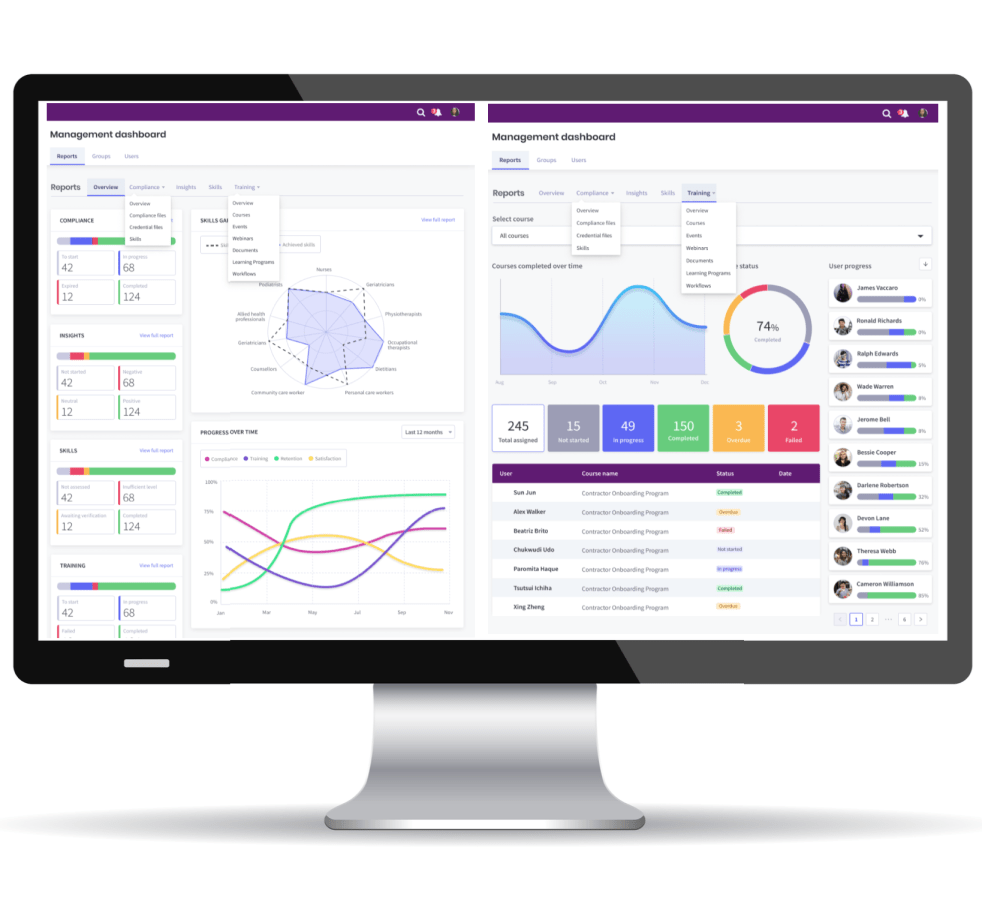
- Provide managers with real-time compliance dashboards
A compliance-focused LMS should help your organisation answer three questions quickly:
- What training and evidence does each person require?
- Who currently meets those requirements?
- Where are the outstanding risks and compliance gaps?
The ability to present this information by employee, role, manager, department and organisation can substantially reduce manual administration.
8. Review reporting and audit evidence
Before selecting an LMS, identify the reports your organisation will need. Do not rely solely on a provider saying that its reporting is “comprehensive.” Ask the provider to demonstrate specific reporting scenarios using realistic examples. Important reporting capabilities may include:
- Course enrolment and completion
- Overdue and incomplete training
- Assessment attempts and results
- Certificates and expiry dates
- Training history
- Event and webinar attendance
- Compliance status by job role
- Reports by manager, department, location or business unit
- CPD hours or points
- User activity and audit logs
- Scheduled reports
- Data exports
- Custom report creation
Managers should be able to access the information relevant to their teams without seeing information they are not authorised to view. Also consider whether evidence can be produced efficiently for internal reviews, external audits, customer requirements and regulatory enquiries.
9. Check integration and identity-management options
Your LMS should work within your existing technology environment. Common LMS integrations include:
- Human Resource Information Systems
- Payroll and rostering platforms
- Microsoft Entra ID or Azure Active Directory
- Identity and access-management systems
- Customer relationship management systems
- Microsoft Teams and webinar platforms
- External course libraries
- eCommerce and payment services
- Business intelligence and reporting tools
Single sign-on can simplify access and reduce password-related support requests. Automated user provisioning can add, update, group and deactivate users based on information held in your HR or identity system. Ask whether integrations are included, preconfigured or custom developed. You should also establish who will maintain the integration and how future changes will be managed.
10. Evaluate the learner and manager experience
A capable LMS can still fail if it is difficult to use. During demonstrations, assess the platform from the perspective of an ordinary employee rather than only from the administrator’s perspective. A learner should be able to:
- Sign in easily
- See required and recommended training
- Identify deadlines
- Resume incomplete learning
- Access certificates and training records
- Upload supporting evidence
- Register for events and webinars
- Use the platform on mobile devices
- Find help when needed
Managers should be able to see their team’s progress, outstanding training, compliance gaps and expiring credentials without having to request reports from an administrator. Ask to see the actual learner, manager and administrator interfaces. A sales presentation alone is not an adequate product demonstration.
11. Consider accessibility and mobile use
Your LMS should support people with different abilities, devices, locations and working environments. Evaluate:
- Alignment with recognised accessibility standards such as WCAG
- Keyboard navigation
- Screen-reader compatibility
- Colour contrast
- Captions and transcripts
- Alternative text for images
- Responsive presentation across devices
- Mobile browser support
- Accessibility of uploaded course content
Remember that an accessible platform does not automatically make every course accessible. Your organisation will also need appropriate content-development standards and quality controls.
Mobile access is particularly important for contractors, care workers, construction workers, field staff and other employees who may not use a desktop computer as part of their normal work.
12. Determine whether the LMS can scale
Your requirements may change as your workforce, services or customer base grows. Consider whether the LMS can support:
- Growth in user numbers
- Multiple business units
- Organisational hierarchies
- Separate brands or portals
- External customers, contractors and partners
- Different administrator and manager roles
- Multiple countries and regions
- Additional course libraries
- New integrations
- Increasing reporting complexity
If your organisation has a complex structure, ask the provider to configure a demonstration using a comparable hierarchy. This will reveal much more than a generic product tour. You should also understand how increasing users, storage, integrations or modules will affect future pricing.
13. Understand implementation, migration and support
A successful LMS implementation requires more than activating a software licence. Ask the provider to explain its approach to:
- Project planning
- Platform configuration
- Branding
- User and training-record migration
- Integration
- Administrator training
- User acceptance testing
- Go-live preparation
- Hypercare
- Ongoing support
- Product updates
Clarify the responsibilities of the provider and your internal team. Confirm what information, decisions and resources your organisation must supply. For data migration, determine what historical records can be transferred, the required data format, how data will be validated and how incomplete or duplicate records will be treated. You should also establish the available support channels, operating hours, response targets and escalation process.
14. Compare pricing and total cost of ownership
LMS pricing models vary considerably. Providers may charge according to:
- Registered users
- Active users
- Monthly active users
- Concurrent users
- Administrators
- Portals or business units
- Modules
- Storage
- Course libraries
- Integrations
- Implementation services
The lowest licence fee does not necessarily represent the lowest total cost. Your comparison should include:
- Software licence or subscription
- Hosting
- Backup and disaster recovery
- Implementation
- Configuration and branding
- Data migration
- Integrations
- Training
- Technical support
- Course-authoring software
- Course-library licences
- Ongoing maintenance
- Future user growth
- Annual price increases
- Exit and data-export costs
Ask suppliers to provide pricing for realistic future scenarios, not only your initial user numbers. This will help you evaluate affordability and predictability over the expected life of the platform.
15. Request evidence and test the solution
Before making a final decision, ask each shortlisted provider for evidence that supports its claims. This may include:
- Relevant customer case studies
- References from comparable organisations
- Security and certification documentation
- Service-level commitments
- Accessibility information
- Implementation plans
- Support arrangements
- Product roadmaps
- Demonstrations using your use cases
- A trial or configured evaluation environment
Prepare several scenarios and ask every provider to demonstrate the same tasks. For example:
- Automatically assign training to a new employee based on job role.
- Upload a professional licence and monitor its expiry date.
- Identify employees who are not compliant with their role.
- Produce a manager report covering mandatory training.
- Register a learner for a webinar or face-to-face event.
- Deactivate a departing employee while retaining their training history.
- Export evidence for an audit.
A structured demonstration makes it easier to compare platforms objectively.
Selecting the right Australian LMS
Choosing a Learning Management System in Australia requires a balance of functionality, security, usability, compliance, integration, implementation and cost. Start with clear business requirements. Involve your learners, managers, training team, IT specialists and security representatives. Compare providers against consistent criteria and require them to demonstrate how their platforms will support your real operating environment.
The right LMS should do more than deliver online courses. It should reduce administration, strengthen compliance, give managers meaningful workforce visibility and provide a scalable foundation for learning and development.
PowerHouse Upskill: an Australian learning and compliance platform
PowerHouse Upskill is a configurable Learning Management System for organisations that need to deliver training while managing workforce skills, credentials and compliance. The platform supports:
- Online course publishing and SCORM content
- Webinars and face-to-face events
- Learning plans and assessments
- Employee and contractor onboarding
- Role-based training and compliance frameworks
- Certificates, licences and supporting documents
- Multi-tenant groups and delegated management
- Manager dashboards and compliance reporting
- CPD programs
- Single sign-on and enterprise integrations
- Australian hosting options
- Secure operations supported by ISO 27001 and ISO 9001 management systems
PowerHouse Upskill can be configured for businesses, government agencies, professional associations, regulated industries and organisations managing employees, contractors or external learning communities.
Ready to evaluate your LMS requirements?
Selecting an LMS is easier when you can see how your own workforce structure, training programs and compliance requirements would operate within the platform.
Book a PowerHouse Upskill demonstration to discuss your requirements and explore a configurable Australian Learning Management System for training, compliance and workforce development.